
NetPilot is in the ChatGPT plugin directory. Install it once, and the ChatGPT chat you already study in can build a real network lab: a Cisco Packet Tracer file you download, or the same lab running on real Cisco IOS routers that you check yourself on the CLI. This guide follows one recorded run, click by click: the install, one prompt for the .pkt file, one more prompt for the live lab.
On its own, ChatGPT can only describe the steps or play a router in text. With the plugin, it calls NetPilot, and what comes back is a file and real device output.
Start here: install NetPilot from the ChatGPT plugin directory.
Step 1: Install NetPilot from the plugin directory
Open ChatGPT on the web, go to Plugins and search for NetPilot. Open the listing and click Install plugin. The listing's third starter prompt is already a Packet Tracer job.
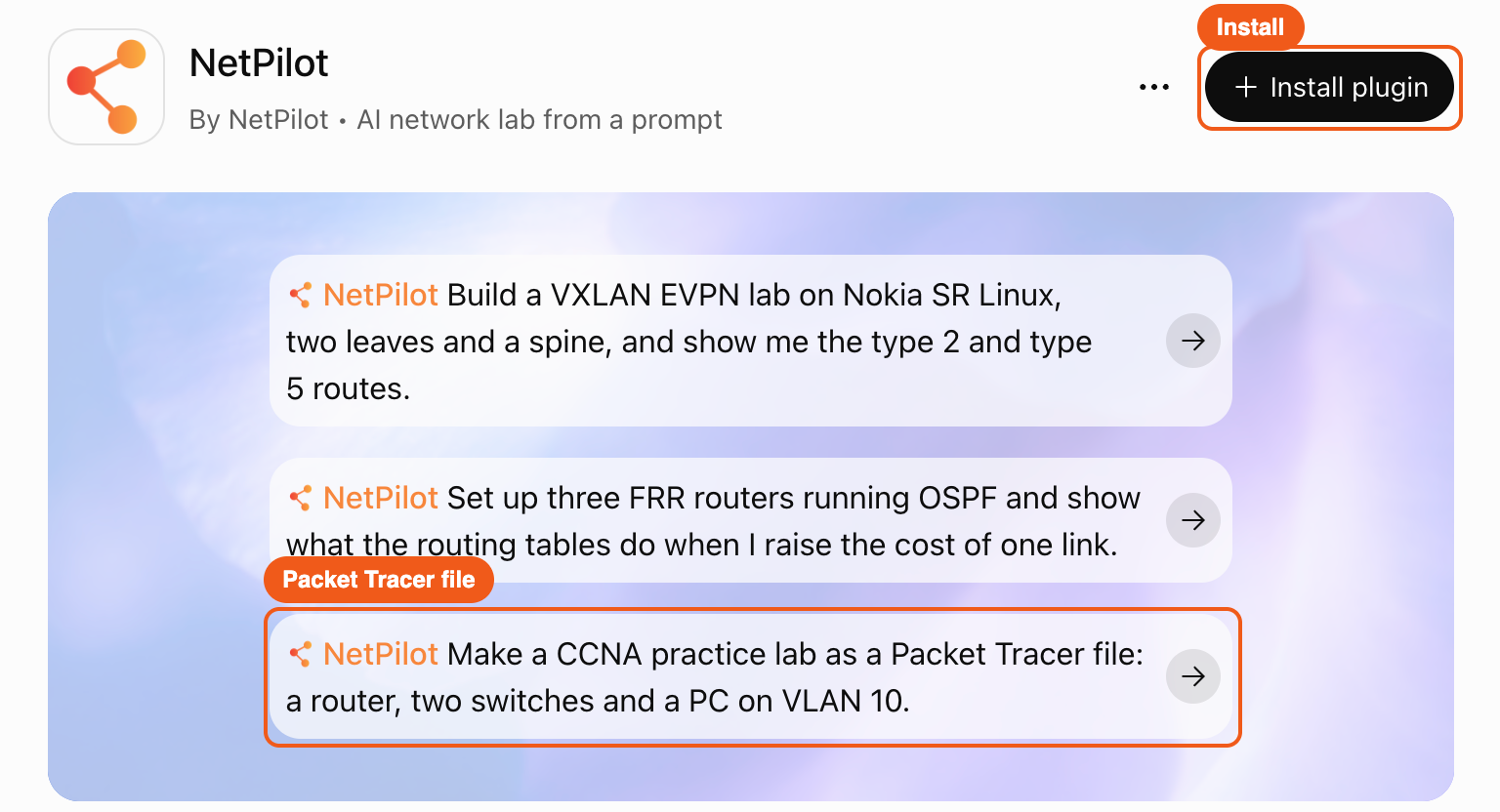
A NetPilot page opens. Sign in with your NetPilot account if it asks, and click Connect to ChatGPT. You land back on the listing with the plugin installed.

Click Try in chat, or type @ in any chat and pick NetPilot. That is the whole setup. Other assistants and the add-by-URL route are on the connection guide.
Step 2: Ask for the lab as a Packet Tracer file
The lab is the classic CCNA triangle: three Cisco routers, a point-to-point link between each pair, everything in OSPF area 0, and a loopback on each router.
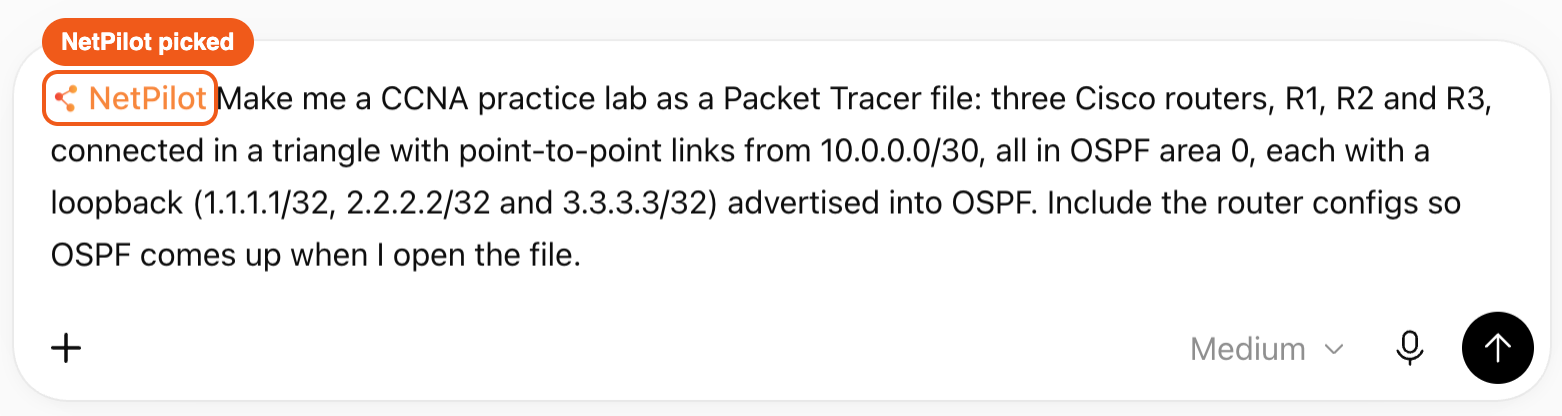
With NetPilot picked in the composer, this is the prompt from the run, typed exactly:
Make me a CCNA practice lab as a Packet Tracer file: three Cisco routers, R1, R2 and R3, connected in a triangle with point-to-point links from 10.0.0.0/30, all in OSPF area 0, each with a loopback (1.1.1.1/32, 2.2.2.2/32 and 3.3.3.3/32) advertised into OSPF. Include the router configs so OSPF comes up when I open the file.
ChatGPT worked for 54 seconds. It drew the triangle, listed the three links with their addresses, wrote a startup config for each router and exported the file: CCNA-OSPF-Triangle-R1-R2-R3-20261109.pkt, Packet Tracer 9.0, 3 routers, 3 links, no validation warnings. No lab VM is involved in this step.
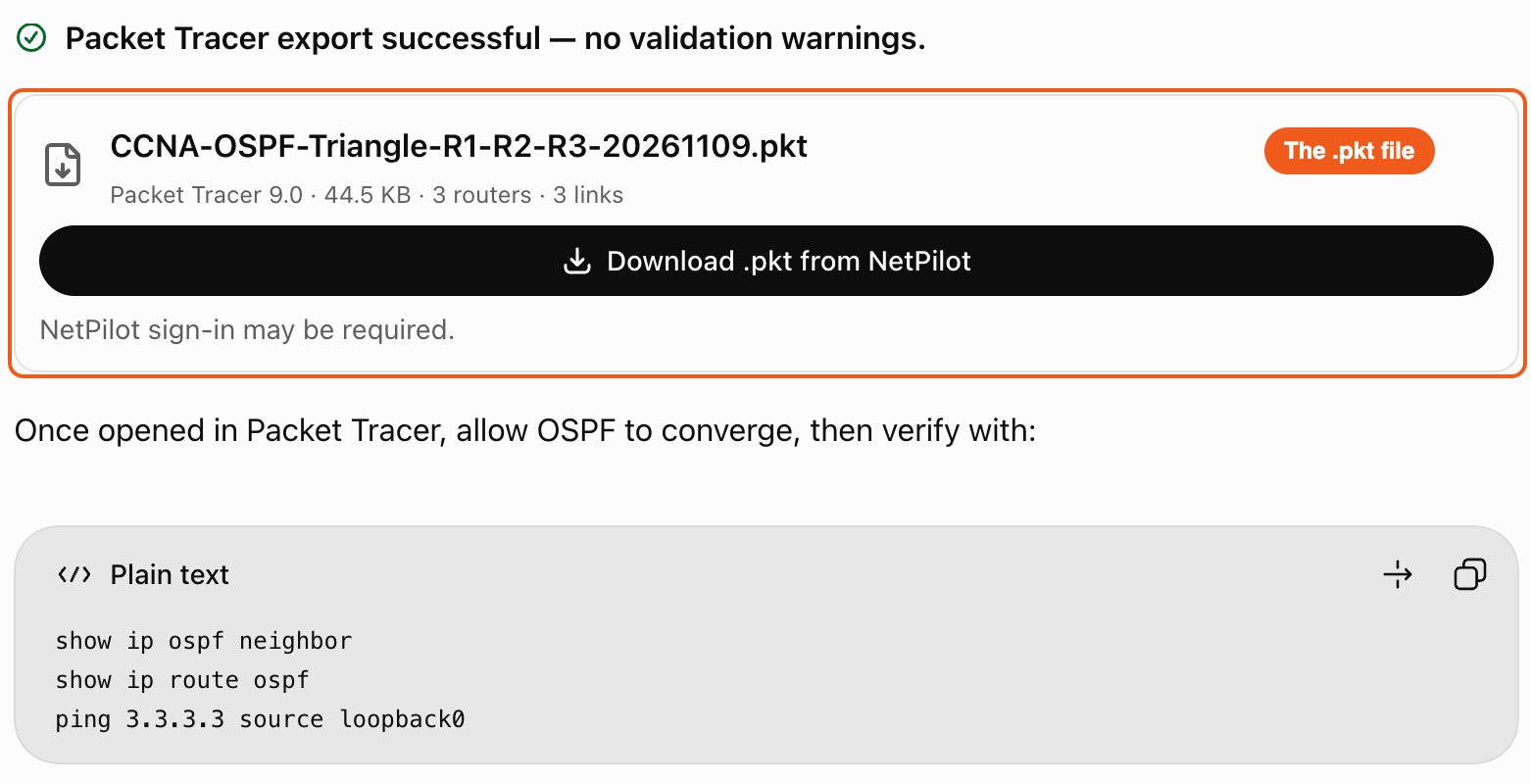
Click Download .pkt from NetPilot and open the file in Cisco Packet Tracer. Each router already carries its OSPF config. R1's, from the file:
hostname R1
interface GigabitEthernet0/0/0
 ip address 10.0.0.1 255.255.255.252
 no shutdown
!
interface GigabitEthernet0/1/0
 ip address 10.0.0.10 255.255.255.252
 no shutdown
!
interface Loopback0
 ip address 1.1.1.1 255.255.255.255
!
router ospf 1
 router-id 1.1.1.1
 network 10.0.0.0 0.0.0.3 area 0
 network 10.0.0.8 0.0.0.3 area 0
 network 1.1.1.1 0.0.0.0 area 0
Step 3: Run the same lab on real Cisco IOS
Packet Tracer is where most CCNA students practice, and it stays the place to hand in the assignment. To see the same lab on the real operating system, send a second prompt in the same chat:
Now build the same lab on real Cisco routers on my lab VM, then show me the OSPF neighbors on every router and the OSPF routes on R1.
ChatGPT checked the lab VM and started it, saved a Cisco IOL version of the design, deployed the three routers on Cisco IOS 17.12.1, pushed the configs and then logged into each router to check OSPF. The agent waits for the routers to boot on its own, so you send the prompt and read the result.
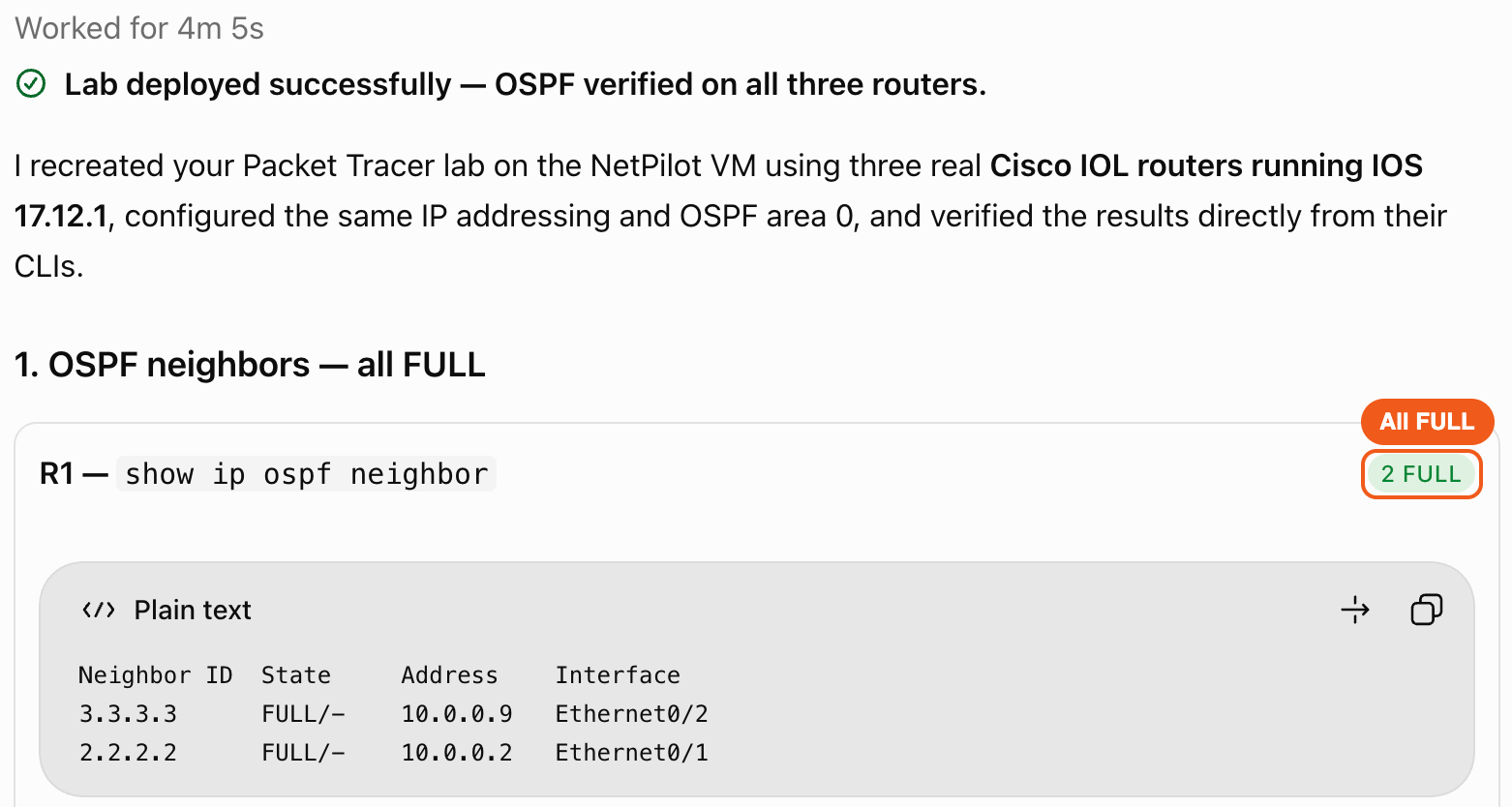
Every router reported two neighbors in the FULL state, six FULL entries in all. On R1, both remote loopbacks arrived as OSPF routes, and the far link, 10.0.0.4/30 between R2 and R3, showed up twice: two equal-cost paths, one through each neighbor. That is what a triangle should do, and it is a good question to ask ChatGPT next.
Step 4: Check it yourself on the real CLI
Direct CLI is always available too. ChatGPT's answer ends with an Open NetPilot Lab Viewer button: the running topology, with a terminal on every router. Open R1's terminal and type the commands yourself:
R1#show ip ospf neighbor

Neighbor ID     Pri   State           Dead Time   Address         Interface
3.3.3.3           0   FULL/  -        00:00:33    10.0.0.9        Ethernet0/2
2.2.2.2           0   FULL/  -        00:00:33    10.0.0.2        Ethernet0/1
R1#show ip route ospf
      2.0.0.0/32 is subnetted, 1 subnets
O        2.2.2.2 [110/11] via 10.0.0.2, 00:04:19, Ethernet0/1
      3.0.0.0/32 is subnetted, 1 subnets
O        3.3.3.3 [110/11] via 10.0.0.9, 00:04:19, Ethernet0/2
      10.0.0.0/8 is variably subnetted, 5 subnets, 2 masks
O        10.0.0.4/30 [110/20] via 10.0.0.9, 00:04:19, Ethernet0/2
                     [110/20] via 10.0.0.2, 00:04:19, Ethernet0/1
R1#show version | include IOS
Cisco IOS Software [Dublin], Linux Software (X86_64BI_LINUX-ADVENTERPRISEK9-M), Version 17.12.1, RELEASE SOFTWARE (fc5)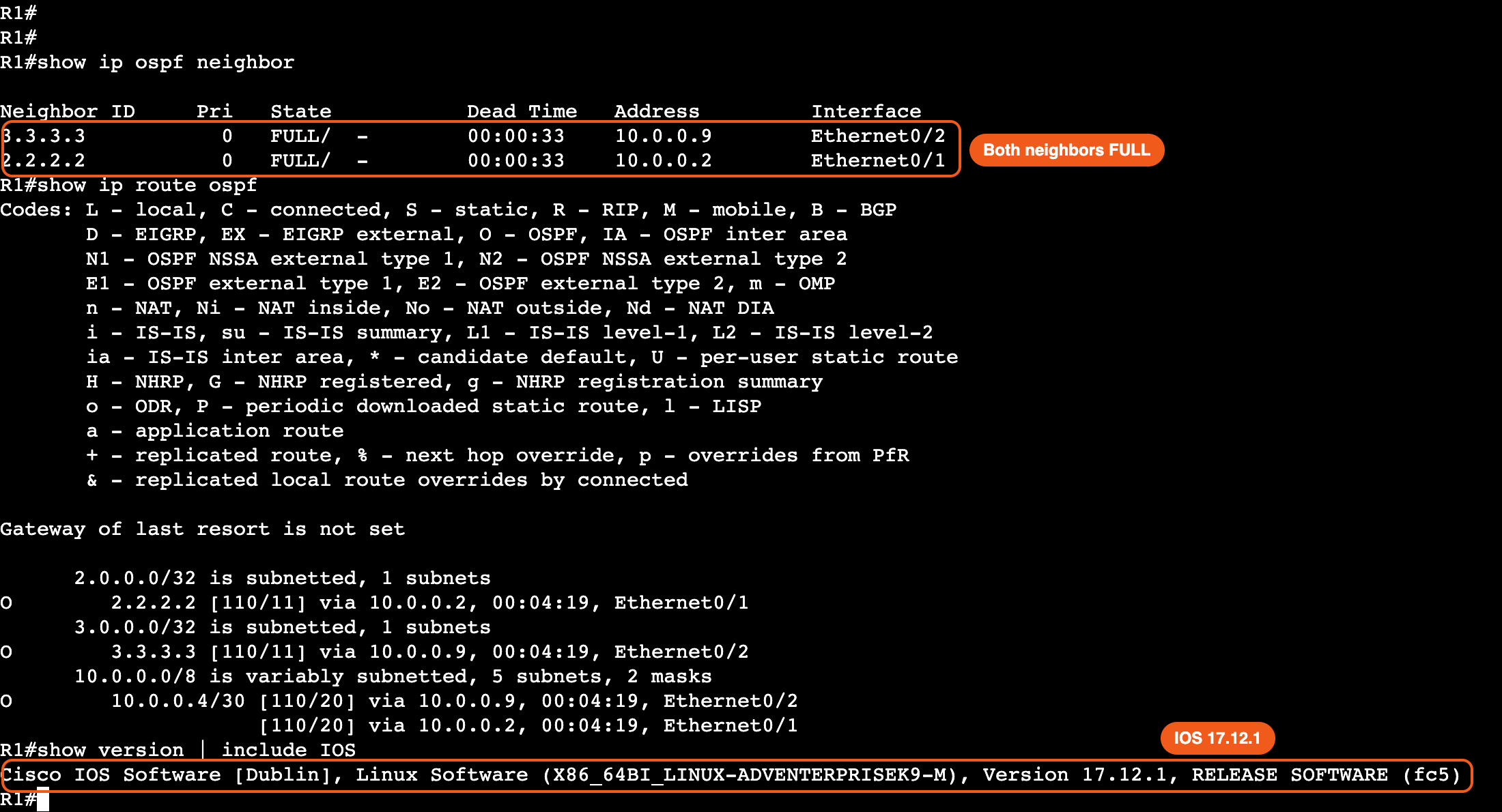
The interface names differ from the Packet Tracer file (Ethernet0/1 on the IOL routers, GigabitEthernet0/0/0 on the Packet Tracer 2911s), and the addressing and OSPF design are the same. When you are done, ask ChatGPT to stop your lab VM. The lab stays on the VM for next time.
Copy-paste ready: both prompts are in the From ChatGPT section of the OSPF single-area prompt in the example prompts, with variations to try next. In the NetPilot web app, the Packet Tracer prompt opens prefilled.
Lab files from the run
- ccna-ospf-triangle.pkt: the Packet Tracer file ChatGPT exported, three routers and three links
- R1.cfg, R2.cfg, R3.cfg: the router configs stored with the design. In the .pkt each 2911 carries a gigabit module in slots 0 and 1, which is where GigabitEthernet0/0/0 and 0/1/0 come from: paste the configs into routers built the same way
The live lab ran the same addressing and OSPF design on Cisco IOL. The Cisco image is not included: you upload your own once, as the supported devices page describes.
FAQ
Is there a ChatGPT plugin that builds a real Cisco lab?
Yes. NetPilot is in the ChatGPT plugin directory. Once it is installed, ChatGPT can design a lab, hand it back as a Cisco Packet Tracer file, or run it on real Cisco IOS routers on your own lab VM and read the show commands back to you. In the run on this page, one prompt returned a three-router CCNA OSPF lab as a .pkt file and a second prompt ran the same lab on Cisco IOS 17.12.1 with every OSPF neighbor FULL.
How do I add NetPilot to ChatGPT?
Open Plugins in ChatGPT on the web, search for NetPilot, open the listing and click Install plugin. Sign in with your NetPilot account on the page that opens and click Connect to ChatGPT. Back in ChatGPT, click Try in chat, or type @ in any chat and pick NetPilot, then ask for a lab.
Is it real Cisco IOS or a simulated CLI?
Real Cisco IOS. The routers run the Cisco IOL image you upload once to your own lab VM, so show ip ospf neighbor, show ip route ospf and show version are the operating system's own output. In this run show version read Cisco IOS Software, Version 17.12.1. ChatGPT reads that output through the plugin and does not invent a router prompt.
Which network operating systems does it run?
17+ network operating systems. Nokia SR Linux, FRR and Linux are built in, MikroTik RouterOS and SONiC are preloaded on every lab VM, and you bring your own image for Arista EOS, Juniper Junos (cRPD, vJunos router and vJunos switch), Cisco IOS router and switch (IOL), Cisco IOS XR, Cisco NX-OS, Palo Alto PAN-OS, Fortinet FortiOS, HPE Aruba AOS-CX and Dell SmartFabric OS10.
Do I need a lab VM to get the Packet Tracer file?
No. The .pkt export is a design job: ChatGPT designs the topology, writes the router configs and NetPilot builds the file, which you download from your NetPilot account. Only the live lab on real Cisco IOS runs on the lab VM, which the plugin starts for you.
Build your next lab from ChatGPT
Install NetPilot from the ChatGPT plugin directory and ask for the lab you are studying: VLANs and inter-VLAN routing, OSPF areas, ACLs, NAT. More on the Packet Tracer side: Cisco Packet Tracer online, ChatGPT vs NetPilot for Packet Tracer and the AI tools for network engineers roundup. The same lab question, answered for every assistant: CCNA practice from the chat you already use.