
To test BGP failover with two ISPs before deployment, build the edge on the real network operating systems with routers standing in for both providers, check both eBGP sessions and the preferred path, then fail the primary ISP while a host pings a server behind them, and read the gap. Fail it the way circuits usually fail: the link stays up and nothing passes. This post runs that test from one prompt. NetPilot built a Cisco edge to ISP A, a Juniper edge to ISP B and an Arista core, and the design held, but the users lost the internet for 174 seconds before it moved to ISP B. BFD brought that to 1.24 seconds.
A dual-ISP design usually reaches the review as a diagram and a sentence: ISP A is primary, ISP B takes over if it fails. The diagram is right. The sentence has no number in it, and the number is what the business asks for after the first outage.
The design
| Item | Value |
|---|---|
| Cisco edge | EDGE-CSCO, Cisco IOL 17.12.1, eBGP to ISP A (AS 64500), local preference 200 on its routes |
| Juniper edge | EDGE-JNPR, Juniper vJunos router 26.2R1.7, eBGP to ISP B (AS 64510), 192.0.2.0/24 prepended three times |
| Core | CORE, Arista cEOS 4.36.1F, OSPF and iBGP to both edges, the user host PC1 on 192.0.2.0/24 |
| The internet | INET, FRR in AS 64999, peering with both ISPs, the test server SRV at 198.51.100.10 |
| Timers | BGP keepalive 60 s, hold 180 s (then BFD 300 ms × 3 on both ISP sessions) |
The prompt gave none of these numbers. The agent chose the AS numbers, the addressing, the OSPF inside and the policy that makes ISP A primary in both directions.
The prompt
This is the prompt from the recording, typed as written:
Here's our internet edge design. Two ISPs on FRR, with a test server on the internet behind both. A Cisco edge router peers eBGP with ISP A, a Juniper edge router peers eBGP with ISP B, iBGP between the two edges, and an Arista core switch behind them with a Linux host for our users. ISP A is the primary path both ways, ISP B is the backup. Build it, show me on each device's CLI that both ISP sessions are up and that traffic takes ISP A. Then fail ISP A the way circuits usually fail, the link stays up but nothing gets through, and time how long the host loses the server.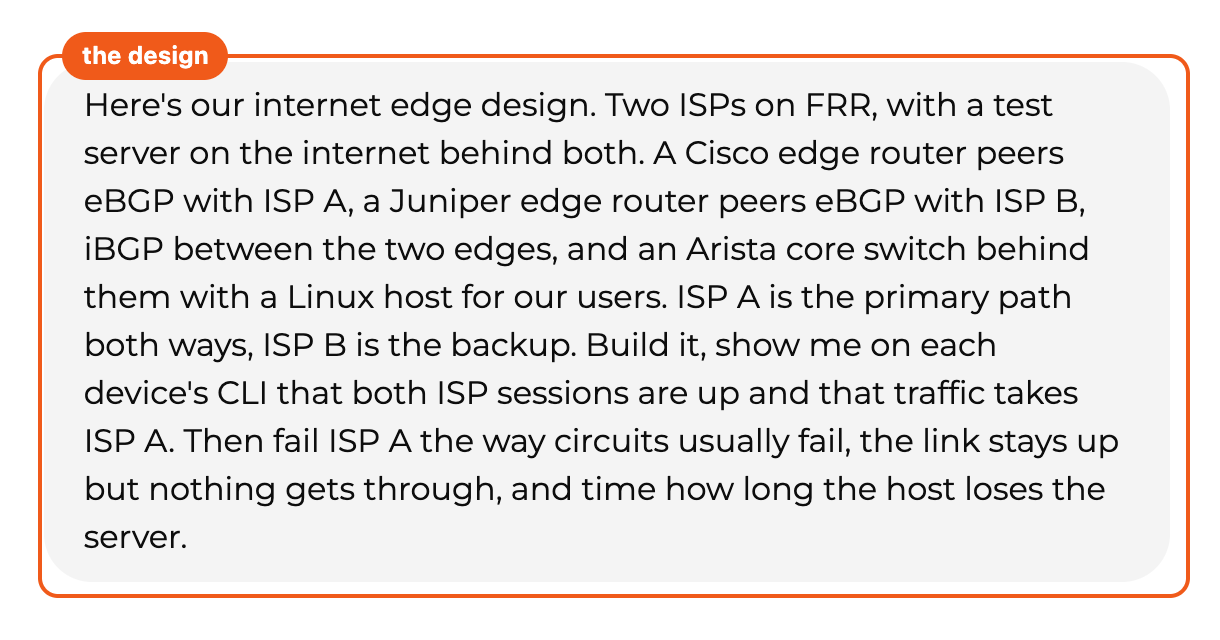
Open the prompt prefilled in NetPilot and swap in your own edge.
Both ISP sessions up, ISP A preferred
The agent read each vendor's device guide, wrote the configurations in four syntaxes and deployed the lab with containerlab. It picked vJunos for the Juniper edge on its own, because cRPD cannot run BGP without a licence. One host came up with no link on the first two deploys: containerlab reserves the name host, so the agent renamed it PC1 and deployed again.
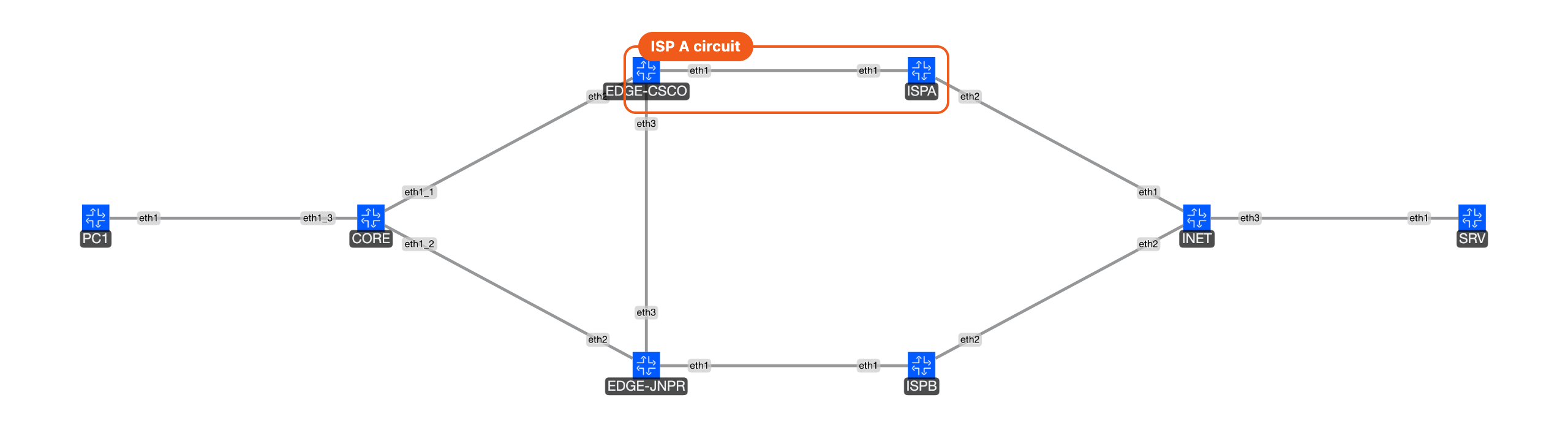
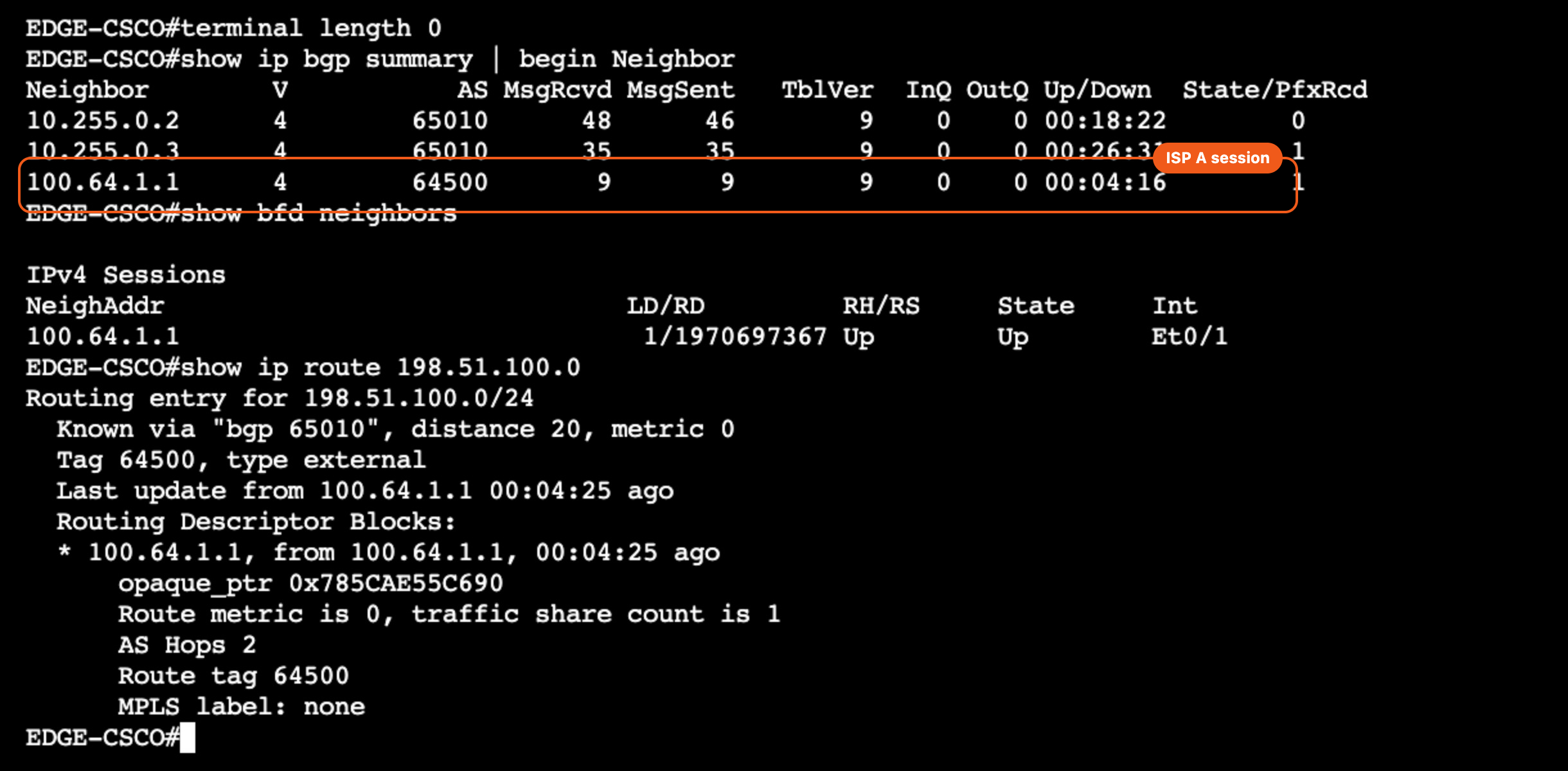
Then it checked every claim on the devices, and these were typed by hand afterwards in the lab viewer's terminals. On the Cisco edge the session to ISP A is up and the server's prefix points at ISP A:
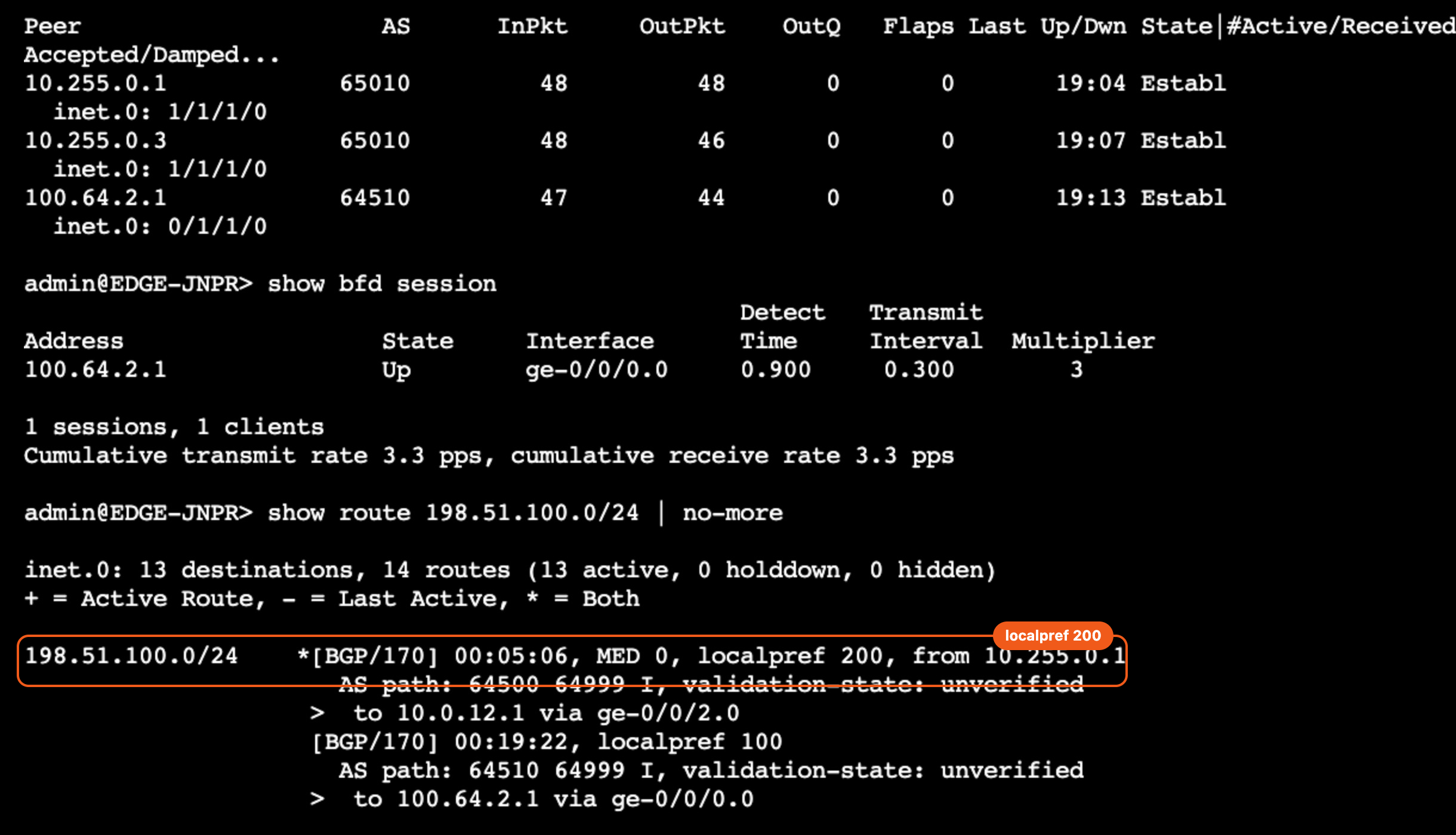
On the Juniper edge the session to ISP B is up, but the active route to the server has local preference 200 and goes through the Cisco edge. ISP B's path waits at 100:
And the host's traceroute leaves through 100.64.1.1, ISP A. The design does what the diagram says.
The silent failure: 174 seconds
Most circuits do not fail with the link going down. The light stays on and traffic stops. So the agent failed ISP A that way: 100% loss on both ends of the circuit, both links still up, while the host pinged the server five times a second.
The host lost the server for 174.08 seconds (836 of 989 probes). Neither router saw anything wrong on the interface, so both kept the session up until the 180 second BGP hold timer ran out. Outbound traffic moved to ISP B when the Cisco edge's timer expired, inbound about 1.8 seconds later when ISP A's own timer did. When ISP A came back, failback lost 0 of 141 probes.
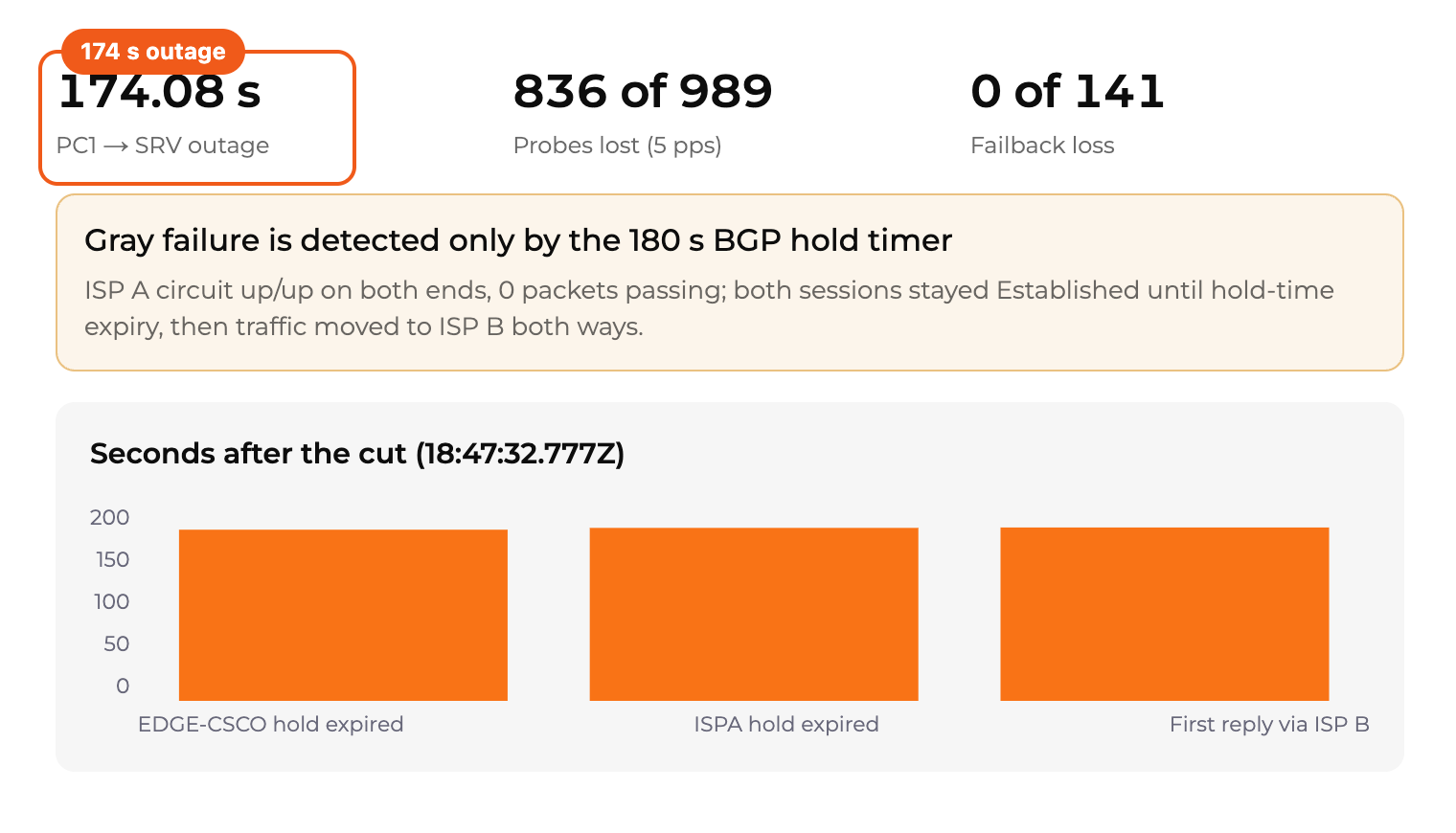
"Failover is automatic" was true. It took almost three minutes.
That is the number a design review needs before the circuits are ordered, and no config check gives it to you: it only exists when the routers run.
BFD, tested again
A follow-up in the same chat:
Add BFD to both ISP sessions and run the same failure again. How long is the outage now?Open it prefilled after the first prompt has built the lab.
The agent added BFD at 300 ms × 3 on both ISP sessions, both ends, without resetting a BGP session, and found one catch on the way. Cisco IOL turns BFD echo mode on by default, and against the FRR peer it slowed the control packets ISP A relies on: ISP A would have needed 3 seconds to notice the failure instead of 0.9. The agent set no bfd echo on that port.
The same failure took 1.24 seconds (5 of 695 probes). ISP A dropped the session 0.78 seconds after the cut, the Cisco edge 0.91 seconds after, and the first reply over ISP B came 0.5 seconds later. Failback lost 0 of 177.
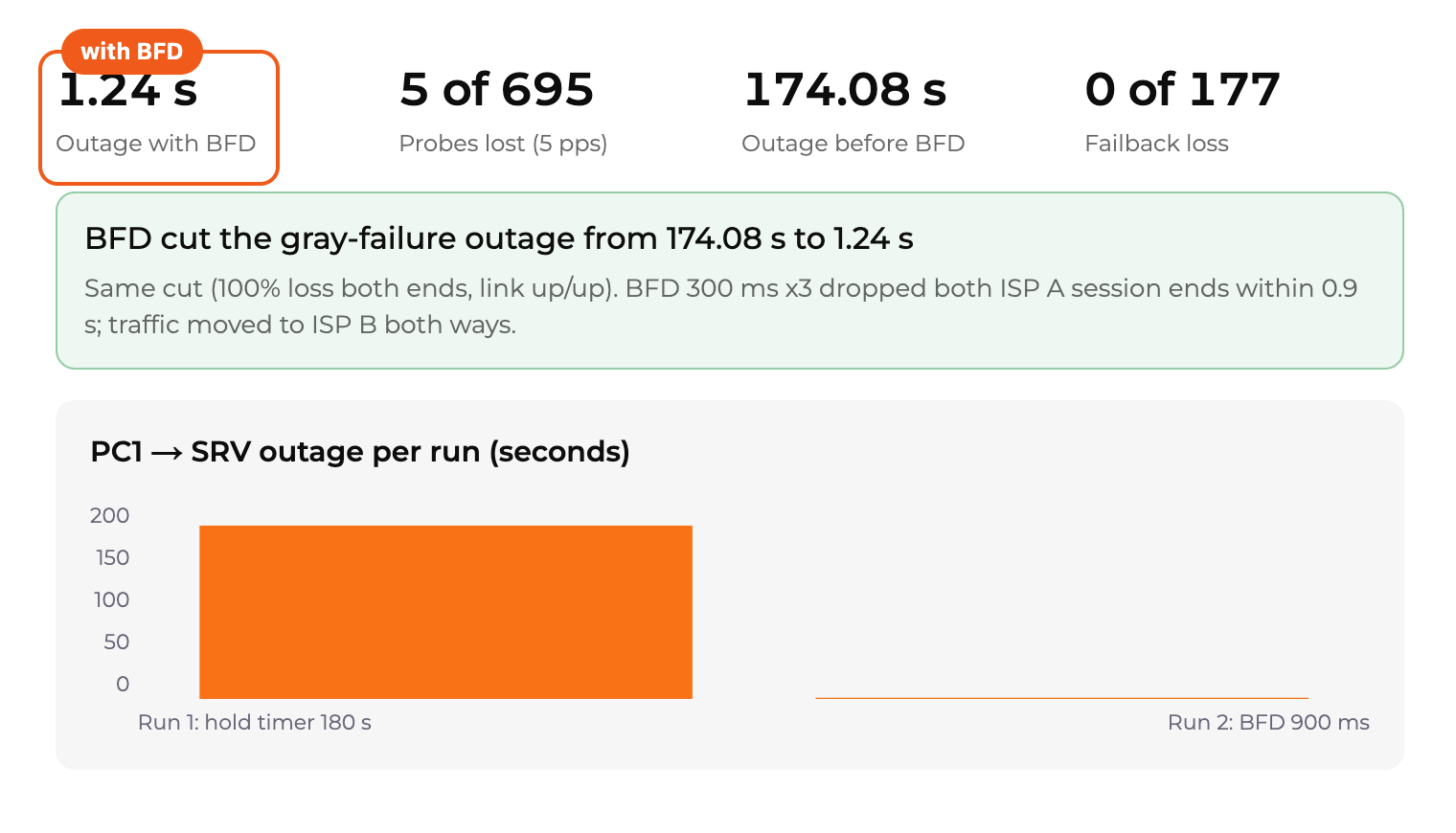
What it would take by hand
The same proof by hand starts with an image for each vendor and a host to run them, then the cabling, three configuration languages, routing policy in both directions, a way to fail a circuit without taking the interface down, and a stopwatch. That is days of an engineer's time, or a consultant's engagement, for one design. Here it was one prompt and one follow-up, under an hour, and the evidence is the routers' own output.
Run your own edge
Copy-paste ready: the prompt is in the lab library as the dual-ISP BGP edge failover test, with variations to try next, and the topology, startup files and failure script from this run are the public lab. FRR is built in. The Cisco IOL, Juniper vJunos and Arista cEOS nodes run your own images, uploaded once to your lab VM, as the supported devices page describes.
For how BGP picks the path, see the BGP path selection walkthrough. The data center version of this test, a spine failure in an EVPN fabric, is validate an EVPN VXLAN fabric design before you build it. For a network team that reviews designs and changes before they ship, network change and design validation covers the same workflow for your own topology.
FAQ
How do I test BGP failover with two ISPs before deployment?
Build the edge design on the real network operating systems in a lab, with routers standing in for both ISPs and a server behind them, check both eBGP sessions and the preferred path, then fail the primary ISP while a host pings the server and read the gap. Fail it the way circuits usually fail, with the link up and nothing passing, because an interface going down is the easy case. In the run on this page NetPilot built a Cisco IOL edge to ISP A, a Juniper vJunos edge to ISP B and an Arista cEOS core from one prompt, and timed the outage at 174.08 seconds with default timers.
How long does BGP failover take without BFD?
When the link stays up, as long as the BGP hold timer has left to run. In this lab the hold timer was 180 seconds and the host lost the server for 174.08 seconds (836 of 989 probes at five a second). Outbound traffic recovered when the Cisco edge's hold timer expired, inbound traffic about 1.8 seconds later on the ISP's side.
Do Cisco and FRR interoperate for BFD on an ISP session?
Yes, with one setting to check. Cisco IOL turns BFD echo mode on by default, and in this run it slowed the control packets the FRR peer relies on, so the ISP side would have taken 3 seconds to detect the failure instead of 0.9. With no bfd echo on the Cisco port both ends dropped the session within 0.91 seconds and the outage measured 1.24 seconds.
What does it take to prove a dual-ISP design by hand?
Images for each vendor, a host to run them, the cabling, three configuration languages, routing policy for both directions, a failure test and a stopwatch, usually days of lab time or a consultant's engagement. In the run on this page the design, both failure tests and the fix took under an hour from one prompt and a follow-up.